How the tests were read
Browser and JDownloader sessions were run against real DDownload files. The local connection was 1 Gbps fibre, but the purpose was not to claim gigabit delivery from every file server. We recorded the speed shown by the client during each session and kept free, single-file, parallel and VPS results separate. File, server, route and time of day were not identical across every screenshot, so the figures should be treated as practical examples rather than a controlled laboratory benchmark.
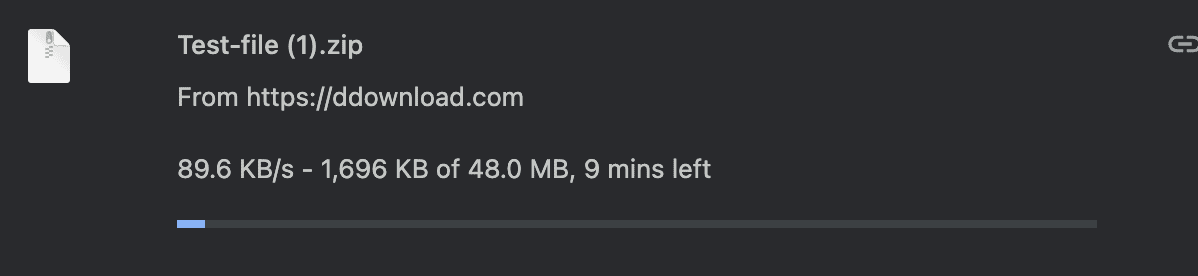
Free browser test: 89.6 KB/s
The free download was moving at 89.6 KB/s. Chrome estimated about nine minutes for a 48 MB ZIP even though only 1.7 MB had been transferred. At that rate, a 1 GB file would take a little over three hours if the speed stayed constant. Free mode can still be reasonable for a small, one-off file, but it is a poor fit for multi-part archives.
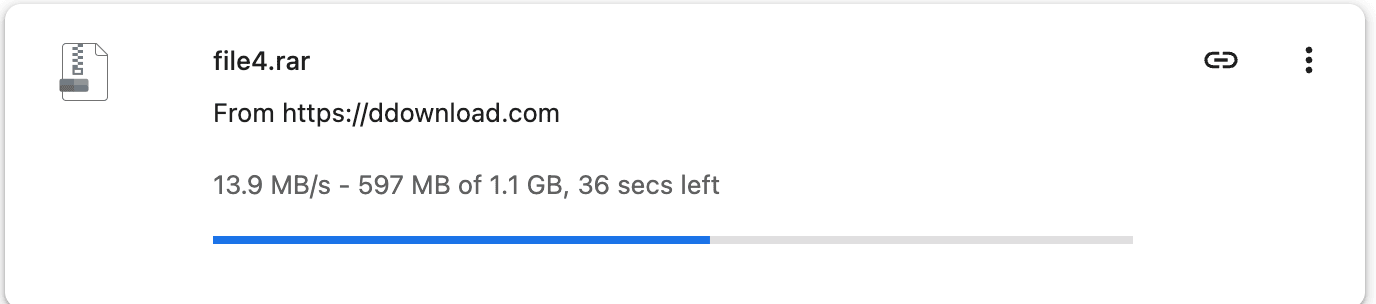
Premium Chrome test: 13.9 MB/s
A single Premium browser download reached 13.9 MB/s while transferring a 1.1 GB RAR file. Compared with the captured free result, that is about 155 times faster. This is the clearest benefit of paying: DDownload removes its strict free-user throttle. It does not mean every Premium file will run at exactly 13.9 MB/s.
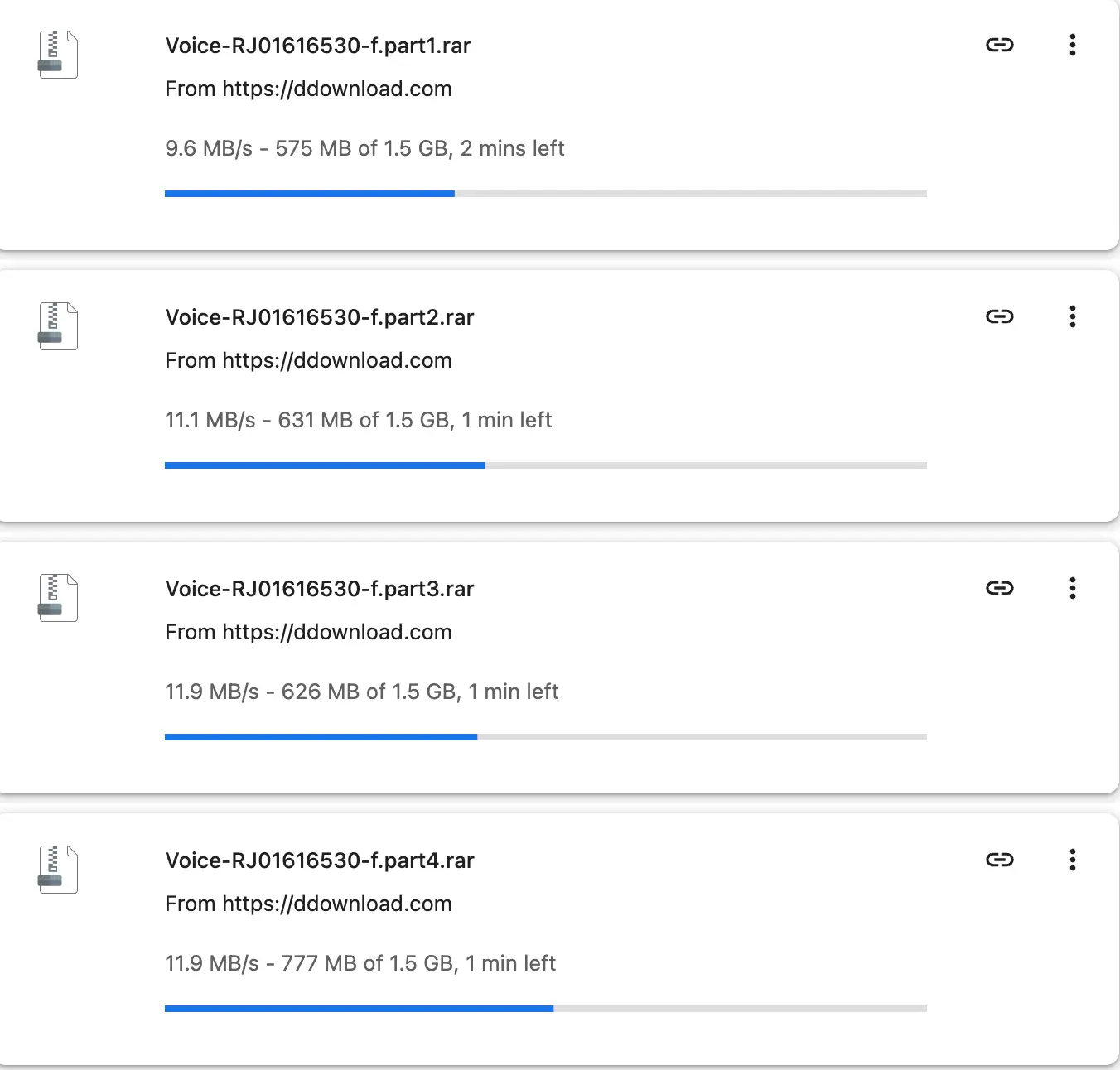
Four parallel Chrome downloads: about 44.5 MB/s combined
The parallel Chrome capture shows four files at 9.6, 11.1, 11.9 and 11.9 MB/s. Their combined momentary rate was roughly 44.5 MB/s. Parallel downloads can make better use of a fast connection when a single file or server path tops out around 10–14 MB/s. It also makes split archives far less tedious than starting each part manually.
JDownloader 2: about 43.5 MiB/s combined
In the JDownloader capture, four active parts displayed 13.39, 11.05, 10.56 and 8.52 MiB/s—about 43.5 MiB/s combined. JDownloader is helpful for adding many links, monitoring their progress and keeping an archive queue organised. Add the Premium account in Account Manager and enable direct downloads in DDownload’s own account settings.

Separate VPS run: 123.78 MB/s combined
The highest result came from a separate VPS session. The client showed 123.78 MB/s total, with active files taking different shares of the bandwidth. This demonstrates how strongly routing can influence DDownload performance; it should not be presented as a normal home-user expectation. A well-connected European server can have a much better path to the host than a residential ISP in another country.

What the numbers actually support
Premium clearly removed the free-speed restriction in these sessions and allowed useful concurrency. They do not prove a universal minimum. If your ISP has a weak route, a short plan is safer than committing for a year before testing your own links.